
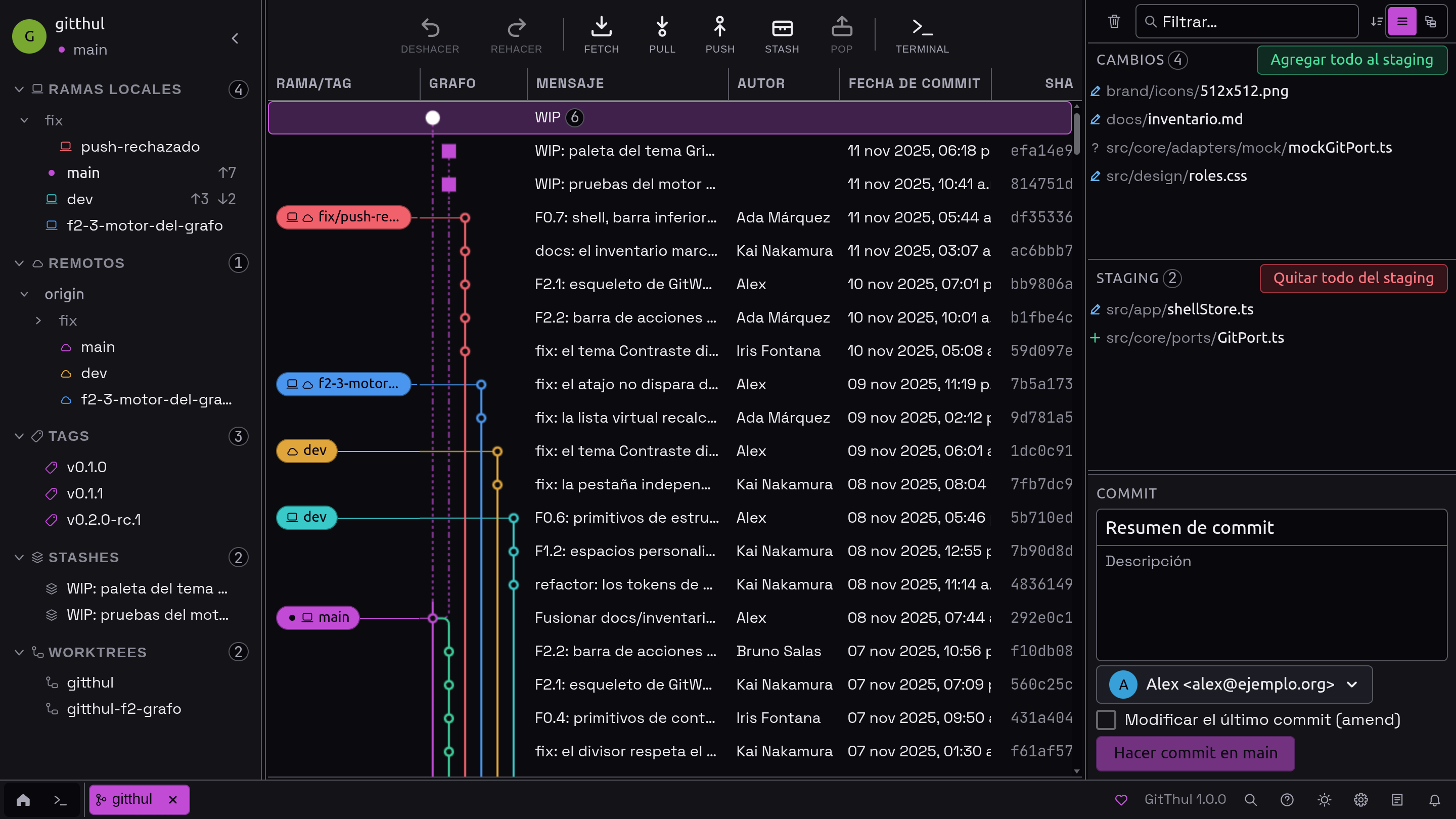
History and branches
Browse commits, local and remote branches, tags, stashes and worktrees in the repository graph.
OPEN SOURCE · DESKTOP GIT
A Git client for Linux, Windows and macOS. Browse history, prepare commits, resolve conflicts and use the terminal in one application.
Linux · Windows · macOS / Free and open source. MIT license.
01 / FEATURES
Browse the graph, review diffs and prepare commits without leaving the application.
Browse commits, local and remote branches, tags, stashes and worktrees in the repository graph.
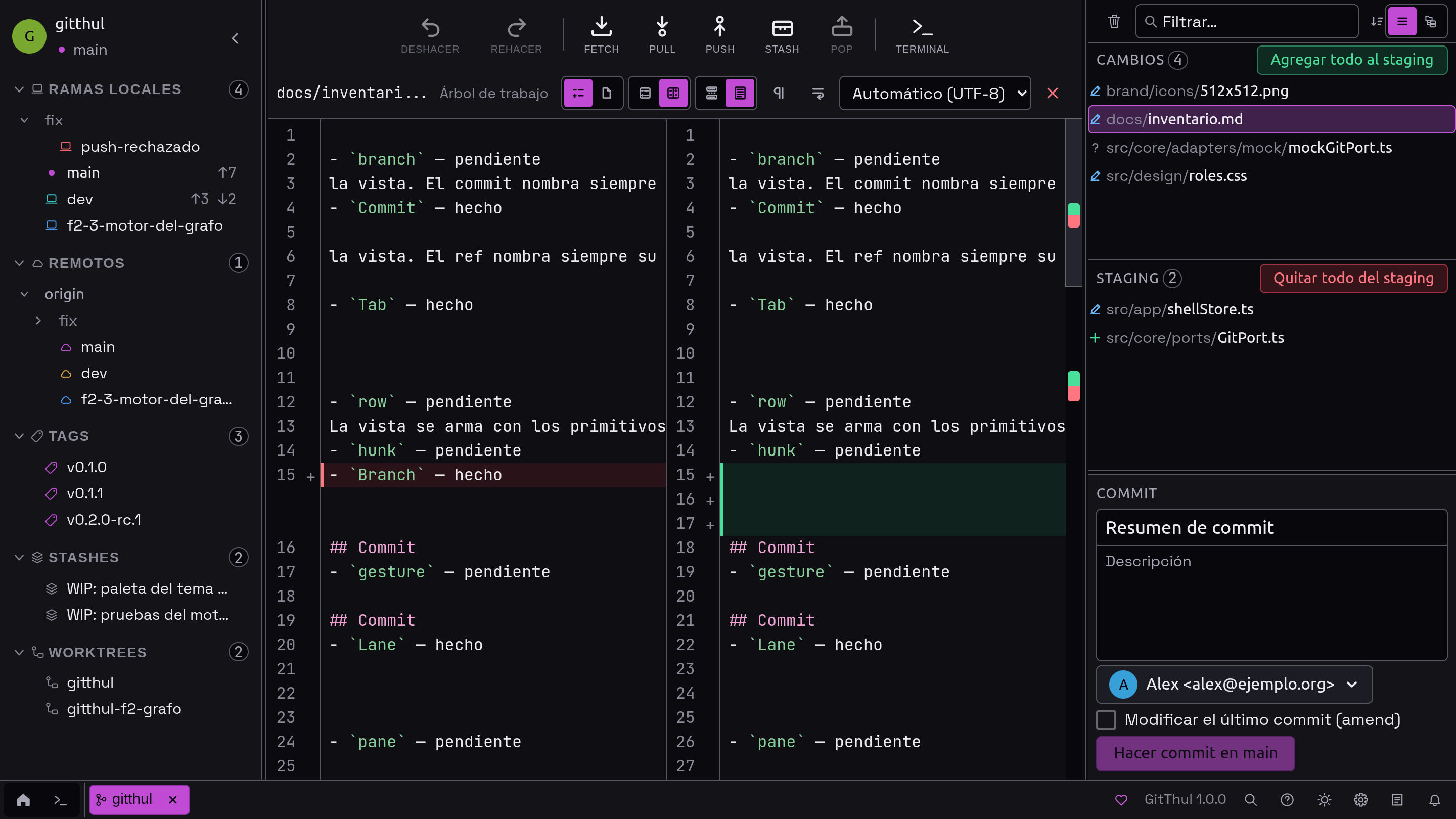
Review the diff and choose the files or lines to include in each commit.
Run merge, rebase or cherry-pick and resolve conflicts in the interface.
Run commands in a terminal with tabs and split panels alongside the repository you are working on.
02 / EVERYDAY WORK

Undo staging changes, commits and other supported local operations from the current session. Undoing a normal commit leaves its changes staged; Redo restores the saved result.
How Undo and Redo work ↗GitThul checks the repository state before writing. If it detects incompatible changes made since an operation was prepared, it stops that operation to avoid overwriting newer work.
The application does not send usage statistics. Fetch, pull and push run when you request them.
Choose from seven themes, adjust interface density and work in five languages. You can also save Git profiles.
03 / SUPPORT THE PROJECT
If GitThul is useful to you, you can support the project on Ko-fi. Contributions are voluntary and the application remains free.